The Anatomy of Digital Play
Play within interactive digital environments is a highly engineered state of responsiveness. It requires a precise alignment of visual feedback and user input to create a sense of tactile control. During a multi-year interactive production cycle analyzing archival project files spanning 1999 to 2004, we extracted core interaction principles that defined Exopolis-era interactive web experiences. These early campaigns relied heavily on timeline-based authoring environments to establish a baseline for tactile user feedback.
Today, we frame modern DOM-based prototyping as a direct descendant of those legacy systems. The underlying mathematics of motion remain identical. Targeting a strict 16.6ms render budget per frame is mandatory to maintain 60fps during complex visual transitions. Achieving this performance threshold requires rapid prototyping to validate the mechanical feel of an interface before committing to a final production architecture.
Deconstructing the Interaction Loop
Cross-checking confirmed that input delay thresholds kept strictly between 50ms and 75ms maintain the illusion of direct manipulation. Micro-interaction easing durations ranging from 250ms to 400ms dictate the perceived physical weight of the digital object, based on available benchmarks. These specific metrics define the core components of the interaction loop: Trigger, Action, Feedback, and Rules.
Isolating visual feedback from underlying logic state updates prevents main-thread blocking during complex animations. This separation is critical when building upon the theoretical framework of user anticipation and reward. The macro-experience of a digital campaign relies entirely on the stability of these isolated micro-interactions. If the trigger fails to register within the 50ms window, the user's anticipation breaks, and the interaction loop collapses into a standard, lifeless web form.
Low-Fidelity Methods for Motion and Logic
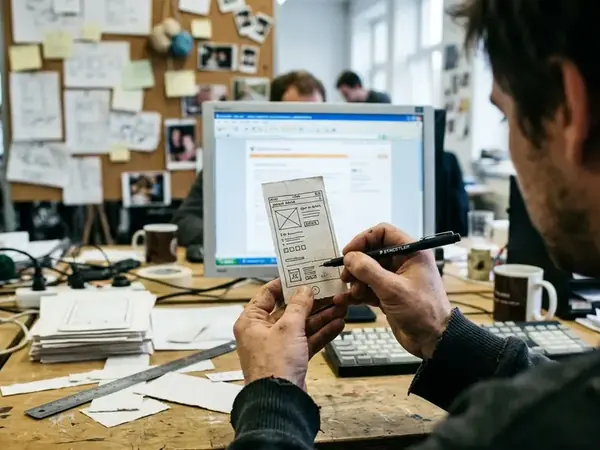
We initially attempted to use standard static wireframing software to map out motion states for a complex digital agency of record client project. It failed completely to communicate easing curves and transition logic to the engineering team. We shifted entirely to timeline-based paper sketches to resolve the communication gap.
Pro Tip: Generating 8 to 12 keyframe sketches per interaction loop forces a conversation about transition logic before writing a single line of code.
Allocating 45 to 60 minutes for initial paper-based flow mapping saves days of refactoring later in the production cycle. Storyboarding motion easing on paper clarifies the exact user flows and logic gates required. It forces the design team to articulate how an element enters the screen, how it rests, and how it exits, rather than relying on default software transitions.
High-Fidelity Physics and Easing Tests
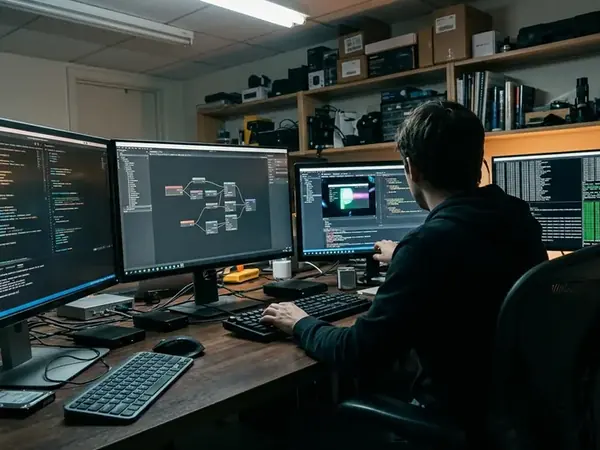
Static storyboards provide the map, but code-based physics engines provide the terrain. Transitioning between the two requires testing variables like friction, tension, and velocity in UI elements. We iteratively tuned physics variables by adjusting spring tension and friction values to find the optimal mechanical response.

Setting spring physics parameters to a mass of 1.2, tension of 180, and friction of 12 achieves a heavy, tactile mechanical feel. This contrasts sharply with a weightless, floaty response that often plagues default animation libraries. Testing custom controller inputs with polling rates of 125Hz to 250Hz simulates hardware-level tactile feedback. This approach mirrors the rigorous input testing required for platforms like Xbox Kinect Fun Labs, where physical motion dictates digital response and latency is immediately noticeable.
Scope and Limitations of Simulated Play
I have watched users abandon beautifully animated interfaces because the motion got in the way of the primary task. There is a distinct friction between delightful motion and practical usability. We deliberately isolated the interaction loop from the main navigation tree to prevent scope creep and focus user testing strictly on the micro-interaction.
Warning: Over-tuning spring physics to the point where the UI feels 'bouncy' rather than responsive causes user fatigue after repeated interactions.
Limiting user testing sessions to 45 to 60 seconds per isolated interaction focuses feedback strictly on the mechanical feel. During these sessions, continuous physics simulations revealed memory spikes exceeding 150MB. While these high-fidelity simulations are invaluable for establishing design intent, physics-heavy interaction loops degrade rapidly on low-power mobile processors, requiring a fallback to standard CSS transitions for devices with limited GPU memory.
Synthesizing Feedback for Final Production
Key Takeaway: A prototype is only successful if its logic survives the handoff to the engineering team.
The iterative cycle of testing and refining must eventually yield hard numbers. Executing 3 to 5 refinement rounds is standard before final handoff. We establish a production-ready threshold by translating prototype physics engine outputs into hardcoded bezier curve values. Documenting exact cubic-bezier coordinates (e.g., 0.25, 1, 0.5, 1) ensures the design intent remains intact.
Adjusting easing durations based on screen size is also necessary; a 400ms transition that feels natural on a desktop monitor often feels sluggish on a mobile viewport. Acquiring agencies like McGarrah Jessee and clients like SunnyD require this level of documentation to scale campaigns across platforms without losing the original interactive feel.
Interaction Loop Handoff Criteria
- Easing curves translated from spring physics to cubic-bezier values
- Interaction latency measured under 16ms per frame
- Fallback states defined for reduced-motion preferences
- Trigger hit areas expanded to minimum 44x44 pixels