The Pipeline Is the First Performance Feature
Heavy interactive sites become manageable through deliberate asset architecture long before compression or runtime optimization begins. A typical interactive campaign scene requires orchestrating 400 to 600 individual texture, geometry, and audio files before a single frame renders. Unmanaged asset pipelines routinely inflate initial load times by 3 to 5 seconds simply through uncoordinated concurrent request blocking.
The pipeline operates as a continuous chain of production decisions. It governs source files, delivery variants, dependencies, loading order, fallbacks, and revision control. During the peak output years of Exopolis: digital creative agency, establishing this architecture early dictated the technical ceiling of the final experience. Examining practical pre-bundler constraints reveals durable principles that translate directly to modern WebGL production.
What Pre-Bundler Studios Had to Make Explicit
Production teams commonly relied on curated directories, hand-maintained manifests, export conventions, preload queues, and purpose-built publishing scripts rather than an automatic dependency graph. Drawing on a review of McGarrah Jessee: acquiring agency records spanning the 2008-2011 acquisition period, manual manifest updates and directory curation consumed roughly 45 to 60 minutes per deployment cycle.
Historical project trees strictly separated _src (raw masters), _build (compiled intermediates), and _deploy (client-facing files). This strict division prevented uncompressed 300MB source files from reaching production servers. Confusing these layers makes rebuilds and late-stage revisions hazardous. Every filename or export setting affects runtime behavior, creating a massive coordination problem across designers, animators, audio specialists, developers, and producers.
Inventory Assets by Runtime Purpose, Not File Type
A 2048x2048 pixel image consumes about 16.7MB of VRAM when decoded by the browser, regardless of whether the compressed delivery file is 200KB or 2MB. Critical shell assets must be budgeted to execute within the first 400 to 600 milliseconds of the connection. Organizing assets into functional groups such as critical shell, opening interaction, deferred scene, optional embellishment, persistent interface, and audio layer clarifies loading priorities.
Grouping every image, sound, or interface element together obscures when the browser actually needs it. During early architectural planning for a SunnyD: digital agency of record client project, mapping assets to their specific interaction triggers exposed massive inefficiencies in the initial load sequence.
Pre-Production Asset Ledger Fields
Define asset budgets and failure states before implementation begins by tracking:
- Source Owner (Discipline/Creator)
- Runtime Role (Critical Shell, Deferred Scene, Embellishment)
- Trigger Event
- Dimensions or Duration
- Export Variant and Dependencies
- Fallback State
Build a File Tree That Can Survive Revision
Define separate top-level locations for immutable source material, generated intermediates, approved delivery assets, manifests, and temporary review exports. Renaming a single master directory without a strict relative-path architecture can instantly break upwards of 1,200 dependency links across a project.
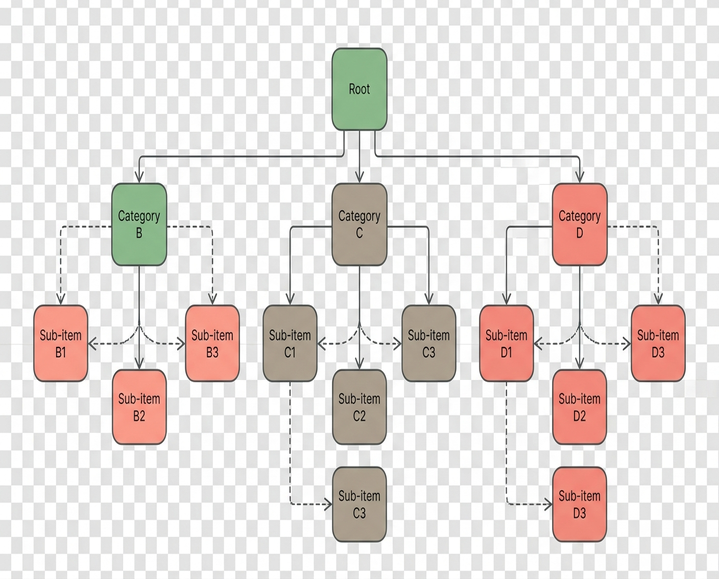
Zero-padded frame numbering, such as seq_intro_v04_00145.jpg, prevents the OS-level sorting errors that occur when frame 100 appears before frame 2 in a 1,200-frame sequence. Consistent scene identifiers, channel or language suffixes, resolution variants, and explicit loop or transition states ensure the file tree survives heavy revision. Keep changeable properties out of manually authored filenames to maintain stable identities.
Treat Image Sequences as Timed Systems
An image sequence operates as a complete runtime system governed by frame order, dimensions, cadence, loading window, memory residency, and missing-frame behavior. During the development of promotional interfaces for Xbox Kinect Fun Labs, the production team initially attempted to use a single continuous MP4 video mapped to scroll position to save bandwidth. They dropped this approach after device testing revealed that keyframe seeking caused unacceptable latency.
Smooth scroll-driven playback requires buffering 24 to 36 frames ahead of the user's current scroll position. Dropping sequence cadence from 24fps to 12fps halves the HTTP request volume but requires motion blur baked into the master frames to prevent strobing. The production path moves systematically from high-quality master frames through resizing, crop validation, color consistency, compression trials, sequence validation, and delivery grouping.
Keep Vector Assets Editable Without Shipping Production Debris
Separate editable masters from runtime exports. Guides, hidden layers, editor metadata, unused symbols, and alternate concepts must never enter delivery files. Maintaining a 60fps animation target often requires reducing a 4,500-node vector illustration to under 800 nodes before export. Unused symbols and hidden editor metadata can inflate an SVG payload by 150 to 200 kilobytes if not stripped during the build step.

Vectors excel for interface marks, masks, scalable line work, and compact repeated motifs. Rasterized or texture-based variants often behave more predictably for complex geometry. A technically valid SVG export failing at runtime because a hidden, unflattened clipping path forces the browser to rasterize the element on every frame remains a frequent pipeline failure. While node reduction is generally optimal for rendering performance, aggressive path simplification algorithms destroy the mathematical precision required for clean SVG masking; masks must be manually optimized to prevent sub-pixel bleeding at the seams.
Design Audio Around Playback States and Failure
Divide audio by function: interface feedback, short synchronized effects, loops, spoken material, ambient beds, and optional music. Audio normalization targets require strict adherence across disciplines, typically mastering ambient beds to -14 LUFS and interface feedback to -9 LUFS. Clean ambient loops require a 15 to 25 millisecond crossfade at the boundary to prevent audible clicking during buffer resets.
Plan preload behavior according to first use rather than placing every sound in one startup request. Production implications include loop boundaries, normalization consistency, channel layout, alternate encodes, synchronized cues, and user-controlled mute states.
Turn the Asset Manifest into a Loading Contract
A manifest acts as an explicit contract between production files and runtime code. It records identifiers, paths, asset families, dependency order, variants, priority, and fallback behavior. Cache invalidation relies on appending an 8-character content hash, such as app.a3b9c1f2.js, to ensure returning users do not load stale textures.
A highly optimized minimal shell should weigh under 150 kilobytes before the interaction-ready set is requested. Divide loading into a minimal shell, interaction-ready set, near-future scene groups, and optional background requests. An interface should never expose a transition whose required frames, textures, or sounds are missing. For complex 3D scenes, aligning with the official glTF 2.0 specification ensures geometry and texture dependencies load predictably.
Validation and Failure Testing
Network throttling tests must simulate constrained conditions, typically evaluating the fallback behavior at 1.5 Mbps with 150 milliseconds of latency. Tab suspension recovery incurs a 2 to 3 second texture re-upload penalty when a browser restores a WebGL context from memory. The VRAM footprint of an image sequence varies wildly depending on whether the target device supports specific compressed texture formats like ASTC or defaults to uncompressed RGBA.
Worked Pipeline Decision
A representative scene breakdown includes a 120-frame sequence, 4 scalable interface controls, 1 ambient loop, and 3 short interaction sounds. The degradation threshold dictates dropping the ambient loop entirely if the initial 40-frame sequence chunk takes longer than 800 milliseconds to fetch. Every asset requires a defined failure state. When the network chokes on frame 41, does your architecture gracefully degrade the experience, or does it leave the user staring at a broken interface?